The problem: dashboards as modern art
Walk into any observability team’s office, and you’ll likely see large screens filled with dazzling, colorful dashboards, graphs, pie charts, and tables competing for attention. Yet, despite all the visual noise, business-critical errors go unnoticed.
Why?
Because we’ve turned dashboards into busy, overly complicated modern art pieces rather than functional tools. As Observability Engineers, we have endless data endpoints, integrations, and visualization options at our fingertips. It’s tempting to cram every metric into a single view, but in doing so, we lose sight of the core question.
Are we okay?
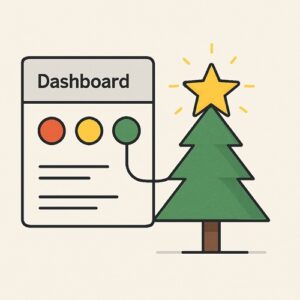
Today, I’ll introduce a method to organize dashboards effectively, using the metaphor of a Christmas tree.
The Christmas Tree Method
Imagine your monitoring system as a Christmas tree, first up, we have the main eye catcher.
The star
The star is your office wall monitor, right there on the big screens. It answers one single question for each relevant environment or application: “Are we okay?”
A good star follows a few simple design rules:
- Traffic light simplicity:(green = good, red = bad).
- No numbers, no noise: just status.
- Not too dynamic: if it changes too often, it is unsuitable.
- It should focus on business-critical components
By sticking to these principles, we should be able to create a dashboard that stays simple, has limited or no false positives, and irrelevant information. But most of all, when something happens, it will grab immediate attention.
The Branches
The branches are your more detailed dashboards. These belong in your toolkit as an engineer to quickly find and locate issues. These can be filled with as much complexity as you want, but should never be used as an office display piece.
You can let your wildest observability engineer skills shine here. Every branch should be unique and can also span into deeper branches. They do not have a set of rules to follow, since they should be useful to an engineer. After setting up our tree. We can start decorating.
The Christmas baubles
In a Christmas tree, ornaments hang on branches, so let’s keep using the structure to define our alerts. When setting up an alert, it should provide relevant information about the issue.
Don’t let it ping your Slack channel with a “Hey, this service has an issue”. But provide information, and most importantly, link the relevant branch (dashboard) so you, as an engineer, are immediately on the right track when troubleshooting.
Alerts or Ornaments have the following design rules:
- Alerts: Like ornaments, they should be rare and meaningful.
- Annotations: Alerts should have a short title, but point directly to the tools that show the data.
- Severity: must be immediately apparent, even from your phone's lock screen
Why this works
- Prevents alert fatigue: Only the most important changes (the star) require immediate attention.
- Reduces noise: Static dashboards stay clean; interactive ones handle complexity.
- Encourages Exploration: Engineers can dig deeper (branches) without cluttering the main view.
- Scales Naturally: New “ornaments” (specialized dashboards) can be added without disrupting the core.
Applying the method
- Start with the Star: Define the main questions that everyone needs to know at a glance.
- Build out the Branches: Create interactive dashboards for deeper dives.
- Hang up the Ornaments: Integrate alerts and annotations for context.
Final Thoughts
A well-designed dashboard system isn’t about impressing with visuals—it’s about providing the right information. Like a Christmas tree, your monitoring needs occasional pruning:
- Monthly: Remove unused dashboards (wilted branches).
- Quarterly: Re-evaluate your star metric (does it still reflect top priorities?).
- Post-incidents: Add new ornaments (alerts/annotations for gaps found).
The goal isn’t perfection, it’s continuous clarity: Start small, iterate, and let your tree grow with your team’s needs.
Replicas and chain monitoring: Make clear choices when status changes. Does the Star turn red when a single replica or step in the chain fails? When the main monitor changes, it should always trigger people to come into action.
Define your monitoring: Write a monitoring plan, sit with your team, and define the responsibilities, important services, applications, or other metrics. There is not a single tree that will fit every team, and trying to create a star one will probably turn it back into modern art.
So, the next time you build a dashboard, think of Christmas tree.