
Finished copying and pasting Cilium Network Policies? Try Clusterwide Policies.
Imagine: your Kubernetes cluster is buzzing with activity. Dozens, perhaps hundreds of namespaces are running independently, each with their own microservices. One team needs internet access to build AI vectors and download AI models. Another team is subject to stricter security requirements due to sensitive data. How do you keep track of this without drowning in a spaghetti of Cilium Network Policies?
Teams often struggle with writing an endless number of nearly identical network policies. Every time a new namespace is created, the same routine starts all over again. Sometimes it's even included in the Scrum Definition of Done! Surely there must be an easier way?
Fortunately, there is a much simpler way. The solution: Cilium Cluster-Wide Network Policies (CCNPs) combined with smart namespace labeling. This eliminates redundancy and the inconsistencies that come with it.
Policy Spaghetti
The pitfall of repetition
- Do you keep seeing the same internet access rules over and over again? What a waste of time.
- Management and overview: Keep it simple
Imagine you have hundreds of these policies. Making a quick change is difficult. The easiest way is to do this centrally, preferably via GitOps with, for example, Argo CD. - Error sensitivity: A typo is easily made
One incorrect digit in an IP address or a typo in a port number and the connection no longer works—or worse: it is wide open.
Simplify management: The power of CCNPs and Namespace Labels
Cilium Cluster-wide Network Policies (CCNPs) are powerful because they define policies that apply to your entire cluster, not just a single namespace. And the great thing is: you can make these CCNPs respond to labels applied to namespaces. Here's how it works:
➜ ~ kubectl create namespace hello-world
namespace/hello-world created
➜  ~ kubectl run nginx -n hello-world --image docker.io/nginxdemos/hello --image-pull-policy=IfNotPresent --port 80
pod/nginx created
➜  ~ kubectl -n hello-world expose pod nginx --type LoadBalancer
service/nginx exposed
➜  ~ kubectl -n hello-world get svc
NAME    TYPE           CLUSTER-IP     EXTERNAL-IP    PORT(S)        AGE
nginx   LoadBalancer   10.43.67.208   192.168.4.51   80:30715/TCP   61s
➜  ~ curl http://192.168.4.51 | grep "<title>"
  % Total    % Received % Xferd  Average Speed   Time    Time     Time  Current
                                 Dload  Upload   Total   Spent    Left  Speed
100 12108    0 12108    0     0   955k      0 --:--:-- --:--:-- --:--:--  985k
<title>Hello World</title>
Copy code
Deny All Policy
Let's start with a secure baseline. Block all incoming and outgoing traffic by applying a Cilium Network Policy that matches all traffic. You can apply this mechanism in different ways: per namespace, with a CCNP (Cilium Cluster-Wide Network Policy), or via Enforcement Mode always. (https://docs.cilium.io/en/latest/security/policy/intro/).
deny-all.yaml:
---
apiVersion: "cilium.io/v2"
kind: CiliumClusterwideNetworkPolicy
metadata:
  name: "deny-all"
spec:
  description: "Make sure namespace is locked"
  endpointSelector:
    matchExpressions:
    - key: io.kubernetes.pod.namespace
      operator: In
      values:
      - hello-world
  ingress:
  - {}
  egress:
  - {}


➜ ~ kubectl apply -f deny-all.yaml
ciliumclusterwidenetworkpolicy.cilium.io/deny-all created
Copy code
Endpoints listen and locate your app
Label the namespace with allow-ingress-port-80=true. You will need this label in the Cilium Cluster-Wide Network Policy endpoint selector.
➜  ~ kubectl label namespace hello-world allow-ingress-port-80=true
namespace/hello-world labeled


➜ ~ kubectl -n hello-world describe ciliumendpoint nginx
Name:         nginx
Namespace:    hello-world
Labels:       run=nginx
API Version:  cilium.io/v2
Kind:         CiliumEndpoint
...
Status:
  Encryption:
  External - Identifiers:
    k8s-namespace:          hello-world
    k8s-pod-name:           nginx
    Pod - Name:             hello-world/nginx
  Id:                       47
  Identity:
    Id:  34739
    Labels:
      k8s:io.cilium.k8s.namespace.labels.allow-ingress-port-80=true
      k8s:io.cilium.k8s.namespace.labels.kubernetes.io/metadata.name=hello-world
      k8s:io.cilium.k8s.policy.cluster=default
      k8s:io.cilium.k8s.policy.serviceaccount=default
      k8s:io.kubernetes.pod.namespace=hello-world
      k8s:run=nginx
...
Copy code
The NGINX pod is known as a Cilium Endpoint. The namespace labels, automatically prefixed with io.cilium.k8s.namespace.labels, are linked to the endpoint. You can use these labels in the Network Policy endpointSelector.
Create a Cilium Cluster-wide Network Policy
Due to the deny-all policy, the container is now inaccessible:
➜  ~ curl --connect-timeout 5 -I http://192.168.4.51
curl: (28) Failed to connect to 192.168.4.51 port 80 after 5006 ms: Timeout was reached


➜  ~ kubectl -n kube-system exec ds/cilium -c cilium-agent -- cilium monitor --related-to 47
Press Ctrl-C to quit
time="2025-06-26T21:18:31Z" level=info msg="Initializing dissection cache..." subsys=monitor
Policy verdict log: flow 0x0 local EP ID 47, remote ID world, proto 6, ingress, action deny, auth: disabled, match none, 192.168.4.229:51956 -> 10.42.0.251:80 tcp SYN
xx drop (Policy denied) flow 0x0 to endpoint 47, ifindex 4, file bpf_lxc.c:2091, , identity world->34739: 192.168.4.229:51956 -> 10.42.0.251:80 tcp SYN
Policy verdict log: flow 0x0 local EP ID 47, remote ID world, proto 6, ingress, action deny, auth: disabled, match none, 192.168.4.229:51956 -> 10.42.0.251:80 tcp SYN
xx drop (Policy denied) flow 0x0 to endpoint 47, ifindex 4, file bpf_lxc.c:2091, , identity world->34739: 192.168.4.229:51956 -> 10.42.0.251:80 tcp SYN
Copy code
Now create a Cilium Cluster-Wide Network Policy that only becomes active if a namespace has a specific label. In this example: allow-ingress-port-80: "true".
---
apiVersion: "cilium.io/v2"
kind: CiliumClusterwideNetworkPolicy
metadata:
  name: "allow-ingress-port-80"
spec:
  description: "Clusterwide Network to allow ingress http traffic"
  endpointSelector:
    matchLabels:
      io.cilium.k8s.namespace.labels.allow-ingress-port-80: "true"
  ingress:
  - fromEntities:
    - world
    toPorts:
    - ports:
      - port: "80"
        protocol: TCP


➜ ~ kubectl apply -f allow-ingress-port-80.yaml
ciliumclusterwidenetworkpolicy.cilium.io/allow-ingress-port-80 created
Copy code
The result
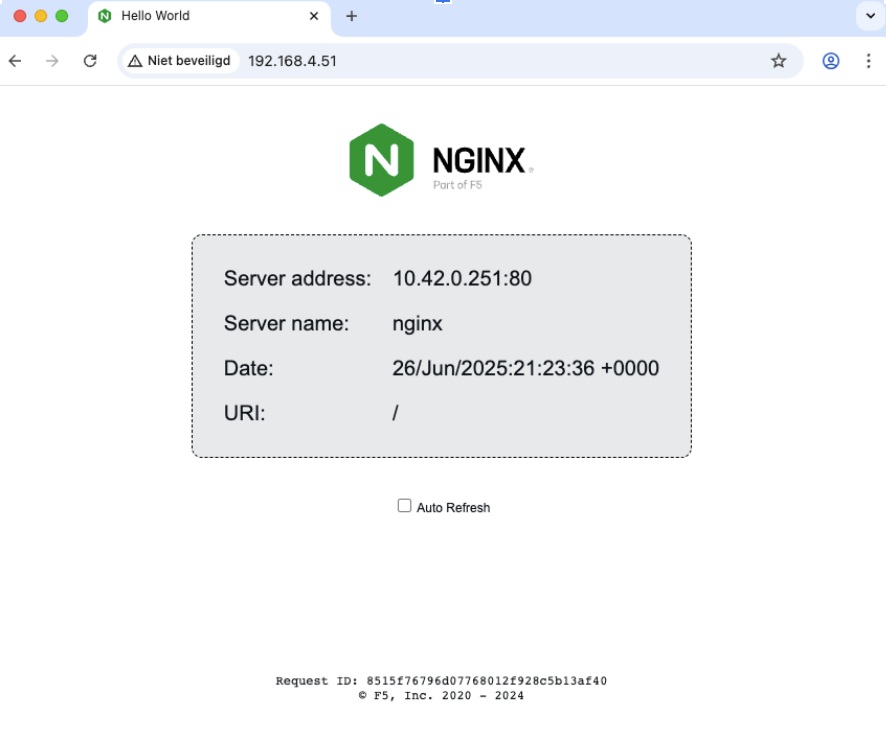
The Cilium Cluster-Wide Network Policy now grants access to the pod in the namespace. Time to test this:
➜  ~ curl http://192.168.4.51 | grep "<title>"
  % Total    % Received % Xferd  Average Speed   Time    Time     Time  Current
                                 Dload  Upload   Total   Spent    Left  Speed
100 12108    0 12108    0     0  2769k      0 --:--:-- --:--:-- --:--:-- 2956k
<title>Hello World</title>
Copy code
References
And it works: Cilium Cluster-Wide Network Policies (CCNPs) combined with smart namespace labeling. Imagine using a similar approach to replace complex, namespace-bound network policies for Prometheus, Fluentd, or other tooling, for example.
References
- Finished copying and pasting Cilium Network Policies? Try Clusterwide Policies.
- Policy Spaghetti
- Simplify management: The power of CCNPs and Namespace Labels
- Deploy an Example Application
- Deny All Policy
- Endpoints listen and locate your app
- Create a Cilium Cluster-wide Network Policy
- The result
- References
- Finished copying and pasting Cilium Network Policies? Try Clusterwide Policies.
- Policy Spaghetti
- Simplify management: The power of CCNPs and Namespace Labels
- Deploy an Example Application
- Deny All Policy
- Endpoints listen and locate your app
- Create a Cilium Cluster-wide Network Policy
- The result
- References